
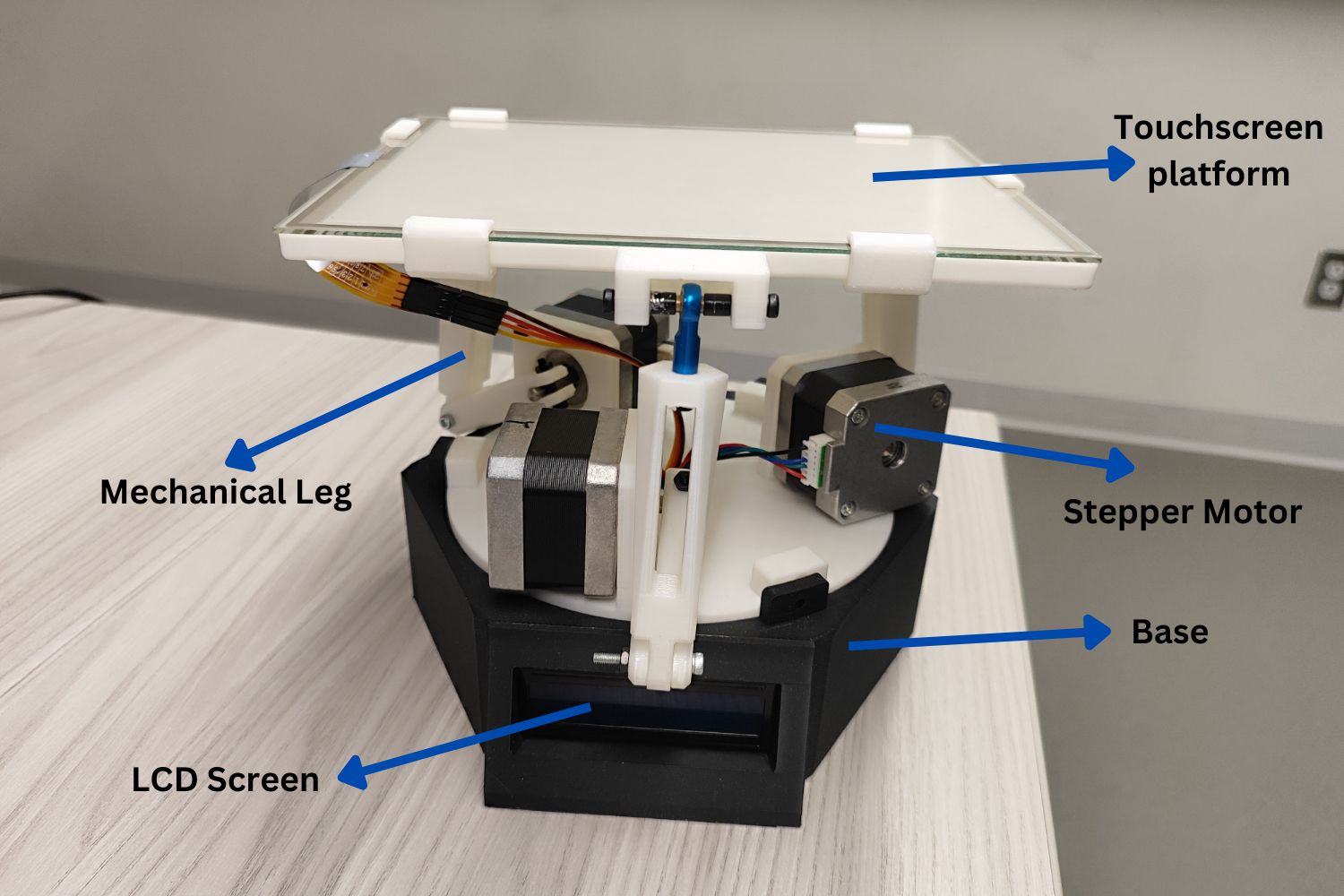
Course project where I definitely went overboard. Built with Riyana - my first real introduction to control systems. The goal was to balance a steel ball on a tilting touchscreen platform using a 3-RPS parallel manipulator. Even though the mechanism didn’t work perfectly, we learned a ton across mechanical, electrical, and software sides.
What We Built
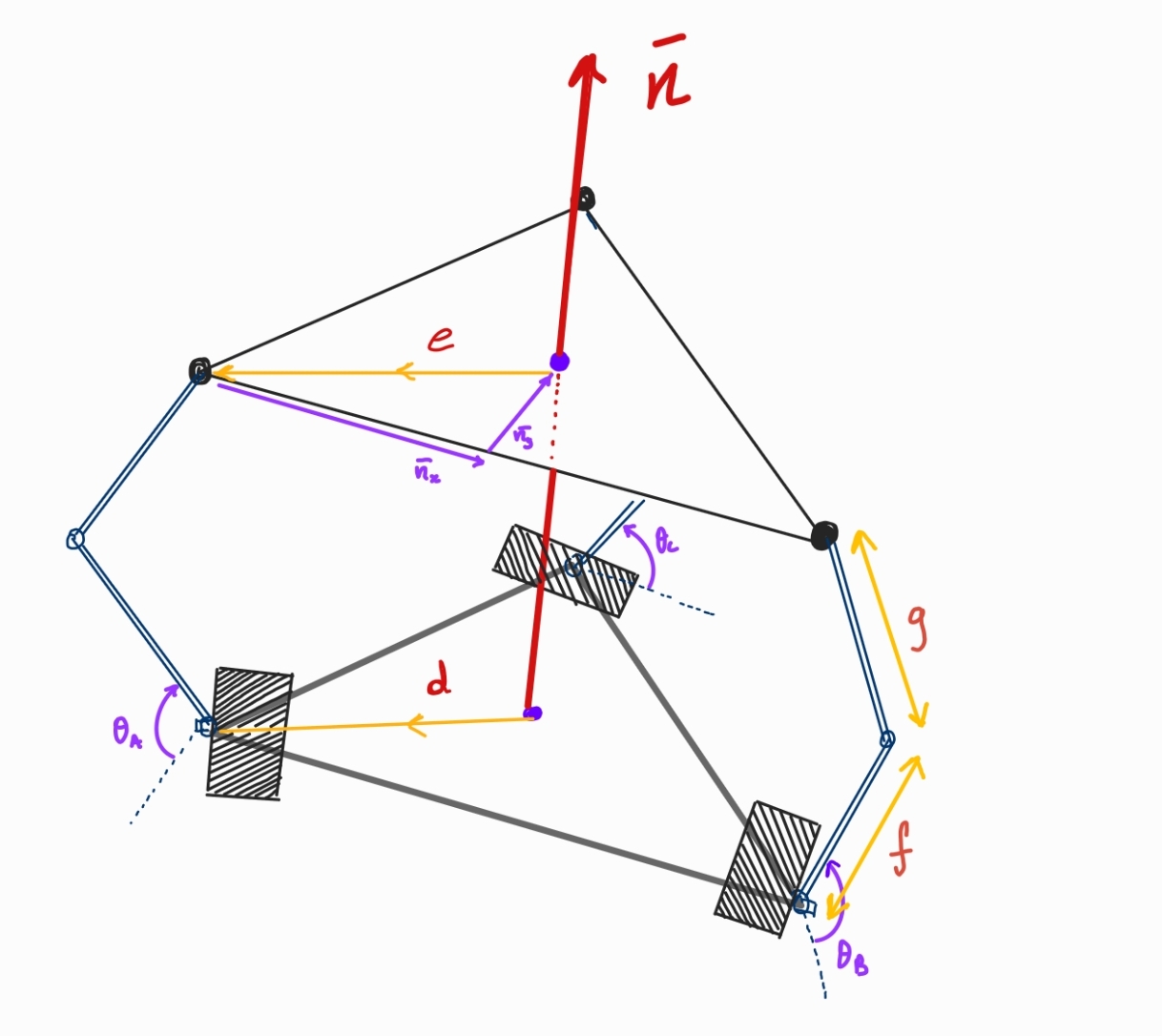
1. 3-RPS Parallel Manipulator Framework
The platform uses three stepper motors to control three mechanically operated legs, achieving precise movements with three degrees of freedom.
2. PID Control Algorithm
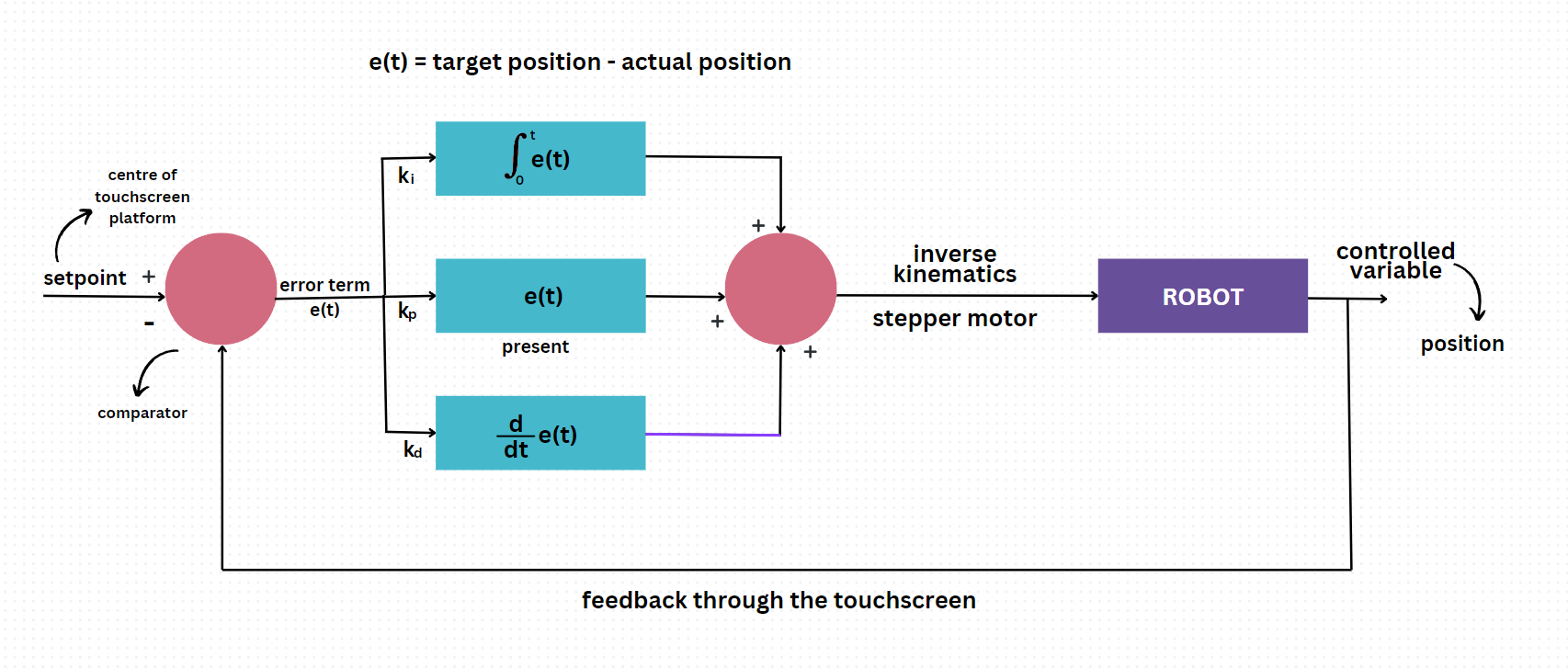
A closed feedback loop processes real-time data from the resistive touchscreen to adjust platform tilt, maintaining balance.
- Proportional gain: ( K_p = 4E-4 )
- Integral gain: ( K_i = 2E-6 )
- Derivative gain: ( K_d = 7E-3 )
3. Inverse Kinematics
Stepper motors adjust based on derived angles to position the ball precisely, calculated through mathematical models and implemented in Arduino.
4. Microstepping
Fine control with 1/32 microstepping for smooth and precise motor movements, achieving 6400 steps per revolution.
5. Custom 3D Design
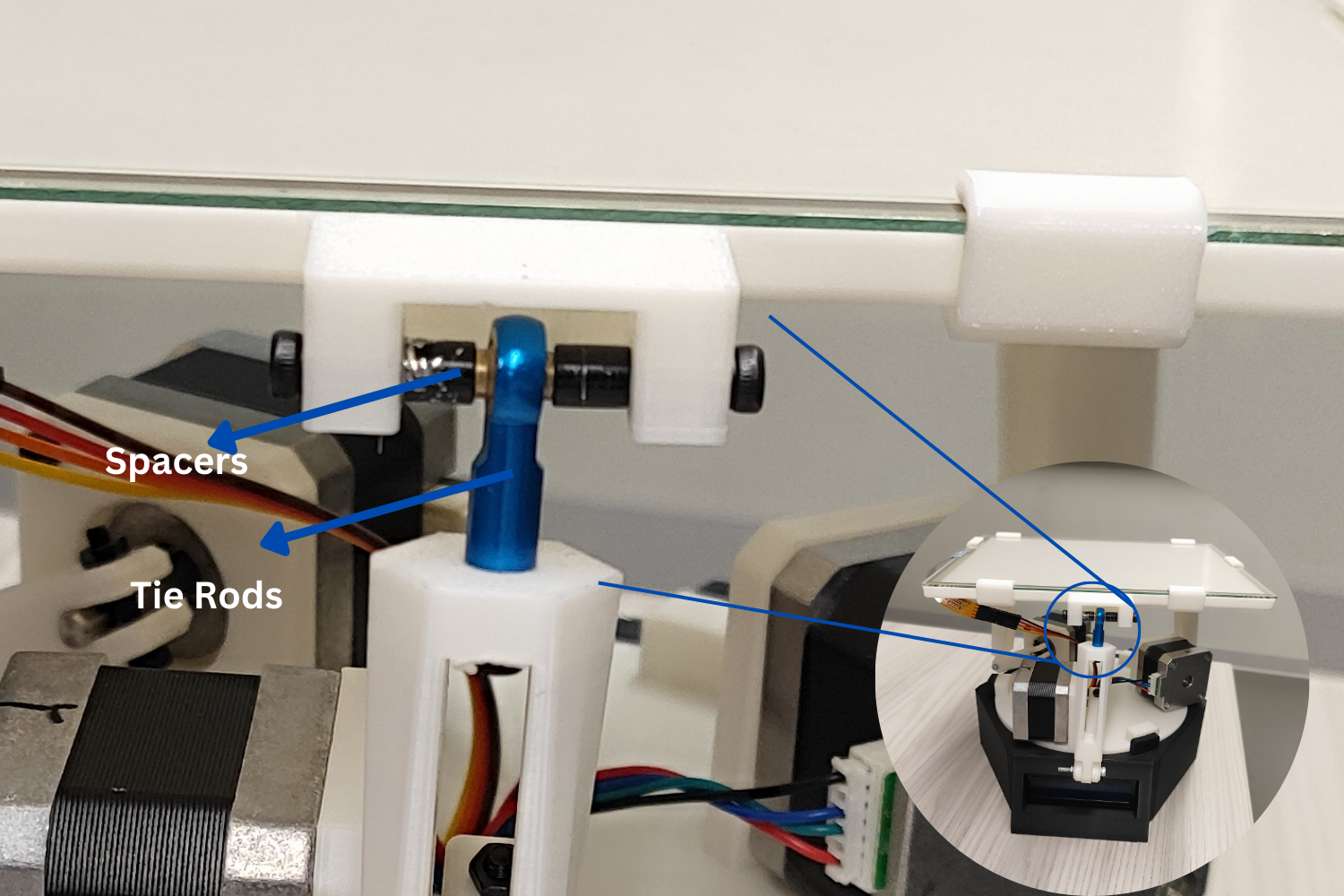
All components, including the platform and mechanical legs, were designed and 3D-printed using PLA material.
Challenges We Hit
- Current Limitations: Had to calibrate motor driver current to 1.25A to optimize performance
- 3D Printing Tolerances: Multiple design iterations to get assembly fit right
- Hardware Upgrades: Started with Arduino UNO, had to upgrade to Mega for more I/O pins
- Mechanism Issues: The physical mechanism had issues we couldn’t fully solve in the time we had
What I Learned
First real taste of control systems - PID tuning, inverse kinematics, sensor fusion. Learned that getting hardware to work is way harder than the simulation suggests. Also learned Arduino isn’t great for complex control loops, but we made it work.
Great project overall - touched mechanical design (CAD + 3D printing), electrical (motor drivers, touchscreen interface), and software (PID control, kinematics). Even though it didn’t work perfectly, this is where I got hooked on robotics.