


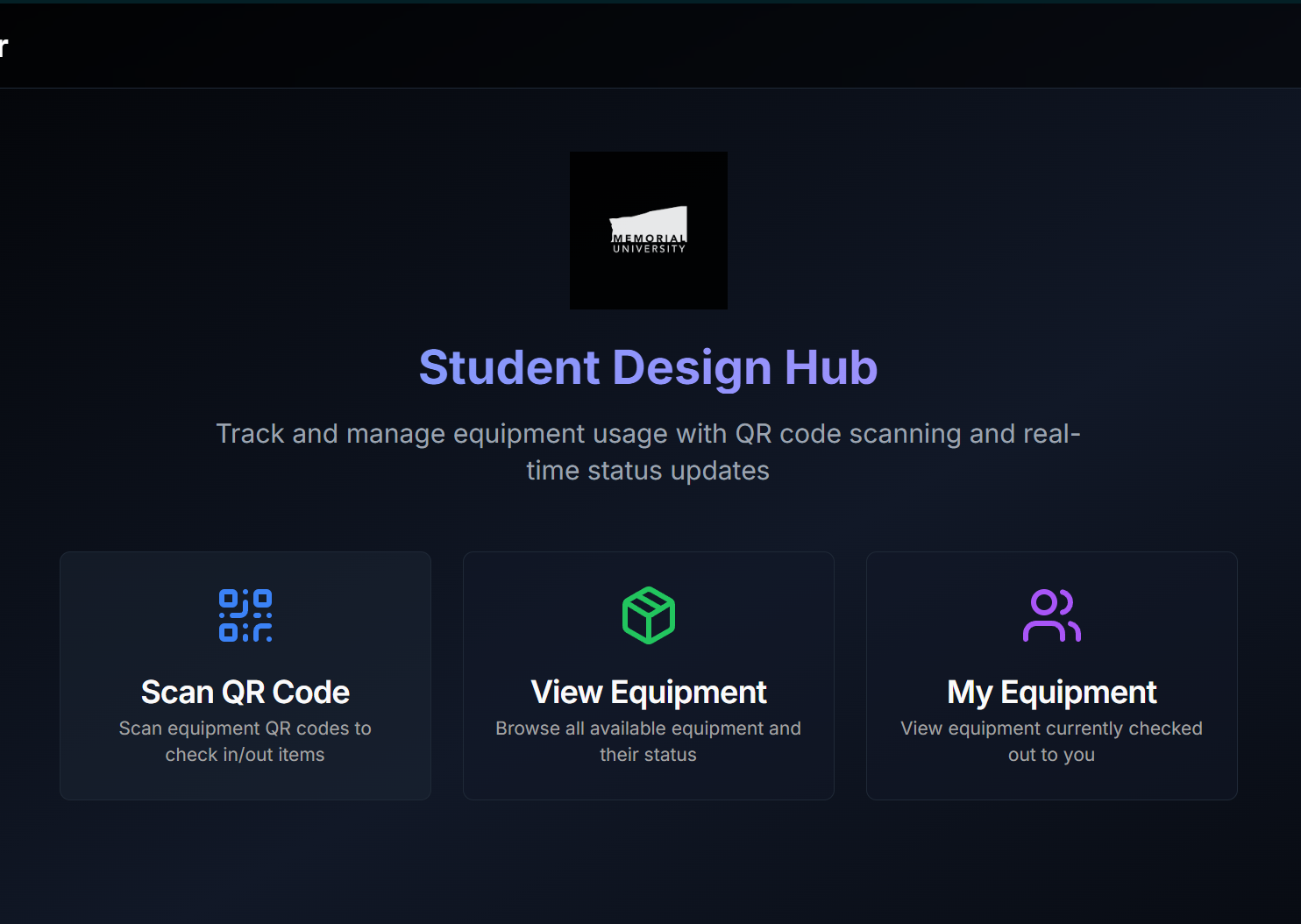
Built this equipment borrowing system for Memorial University’s Student Design Hub when I was working there early in my engineering career. John Walsh (SDH manager) needed a better way to track tool lending for student teams - the manual process was leading to lost equipment and confusion. The system is still in use today.
The Problem
Before this, equipment checkout relied on manual records and scattered tracking. Tools went missing, nobody knew who had what checked out, and there was no easy way to remind people about returns.
What I Built
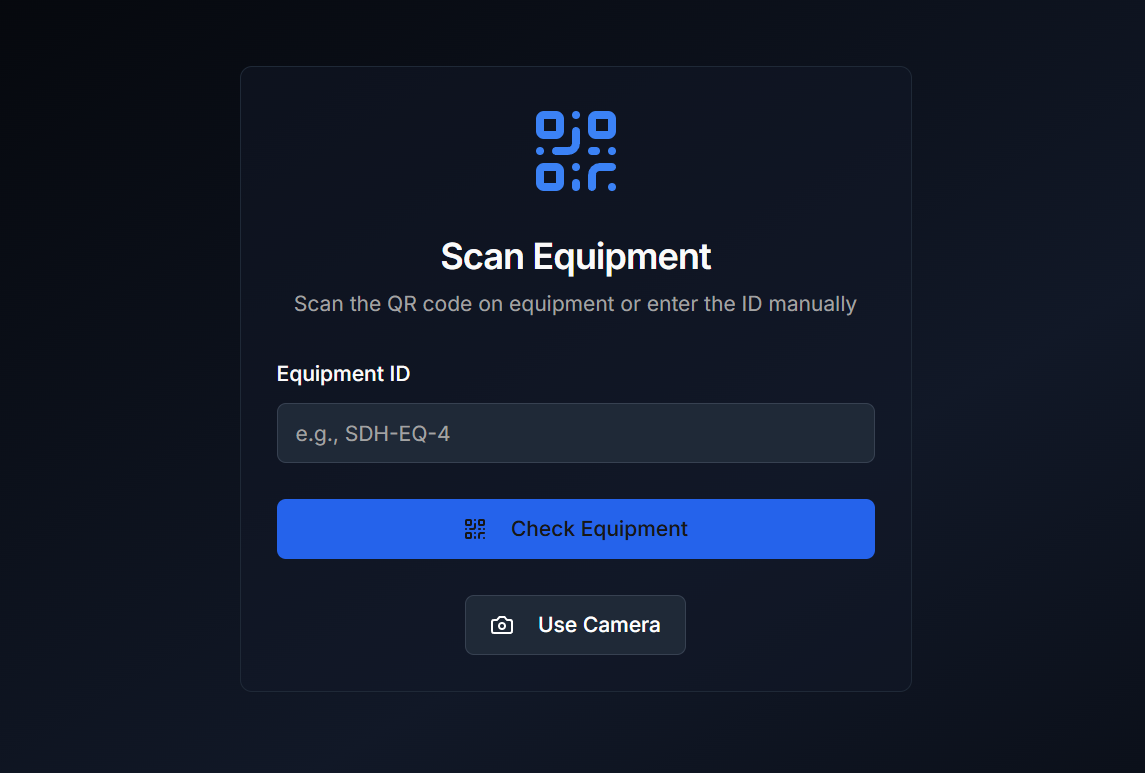
✅ QR Code-Enabled Checkouts
To minimize manual errors and speed up tool management, I implemented a QR code system allowing students to check equipment in and out with a simple scan.
✅ Secure University-Based Sign-In
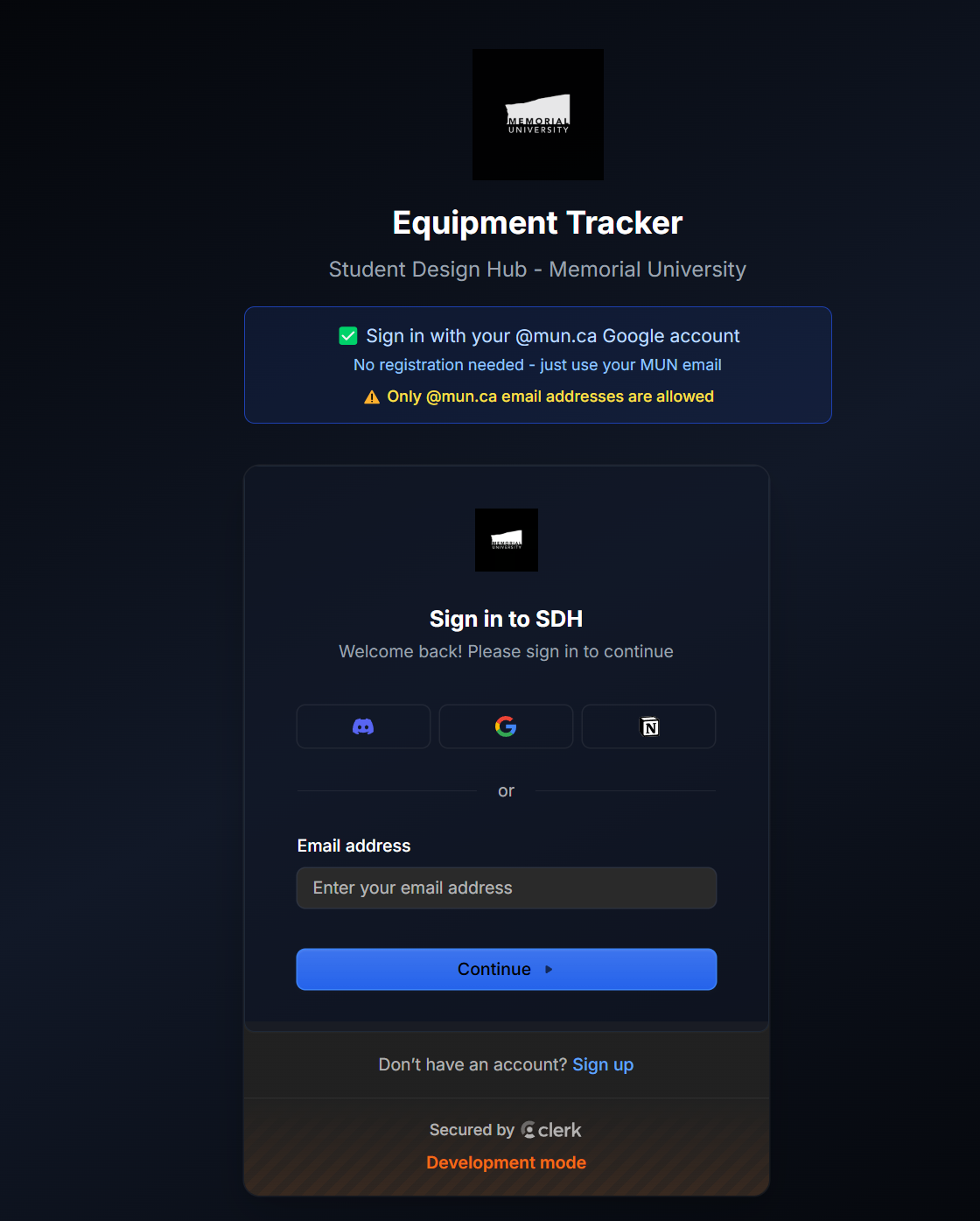
Restricting access was critical. I integrated authentication tied to Memorial University’s @mun.ca email addresses via Google OAuth — ensuring only authorized students and staff could interact with the system.
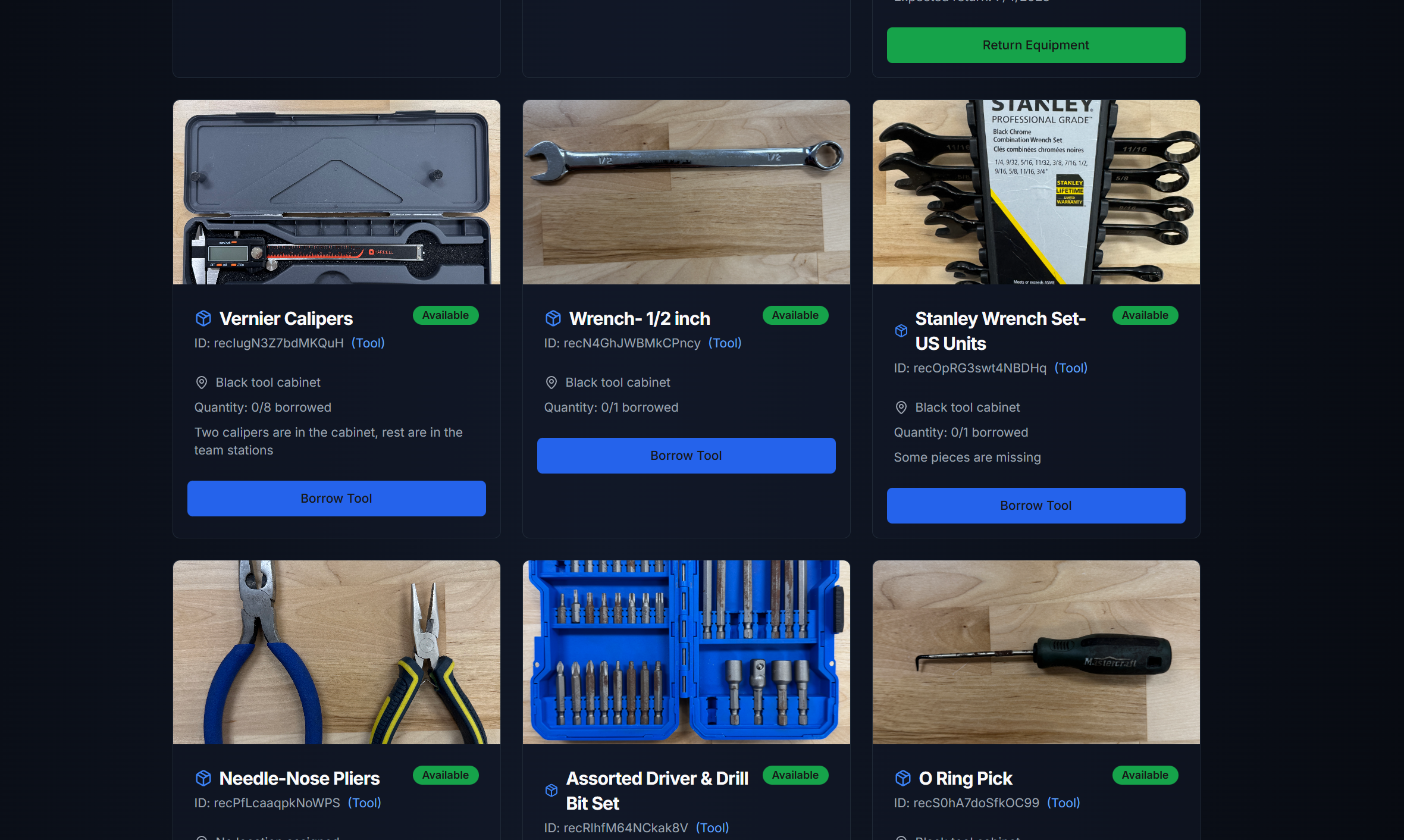
✅ Live Equipment Catalog
Students and staff can now browse a dynamic inventory, seeing which items are available, where they’re located, and how many are in circulation. This brings full transparency to the borrowing process.
✅ Personal Borrower Dashboards
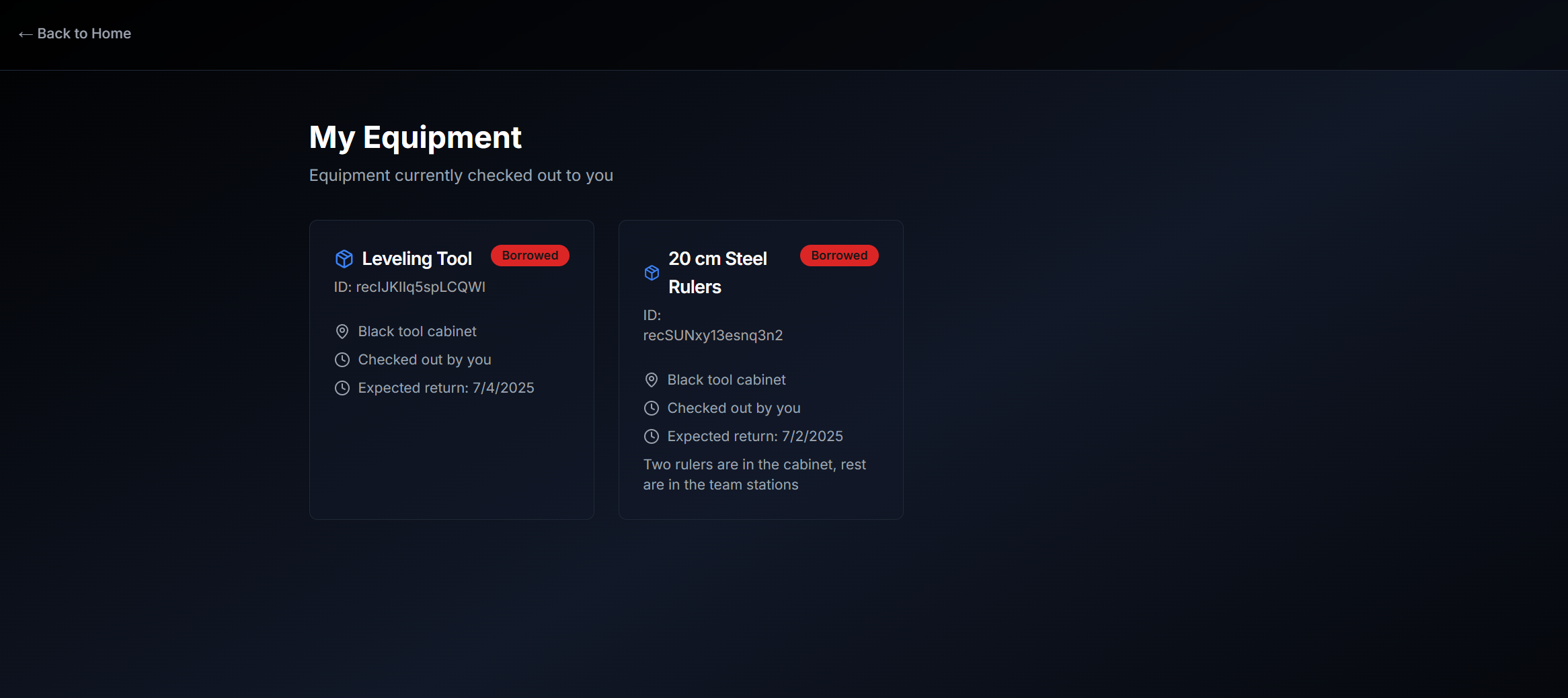
Each user has a dedicated “My Equipment” page showing tools they’ve checked out and expected return dates, promoting responsibility and reducing lost assets.
✅ Automated Return Reminders
The system is designed to automatically notify students as their return dates approach, helping them avoid late returns and keeping equipment circulating efficiently.
📽 Demo Video
Here’s a quick demo showing the platform in action:
Technical Highlights
- Stack: Next.js + TypeScript for robust server-side rendering and a blazing fast client experience.
- Auth & Security: Clerk integration for OAuth sign-ins restricted to university domains.
- Real-Time Data: Instant updates to inventory states to avoid conflicts or outdated views.
- UI/UX: Built a clean, responsive dark-theme interface using modern CSS that aligns with the professional lab environment.
What I Learned
First full-stack app I built that people actually use daily. Learned about authentication, real-time data sync, and designing UX for non-technical users. Also learned that QR codes solve way more problems than you’d think.